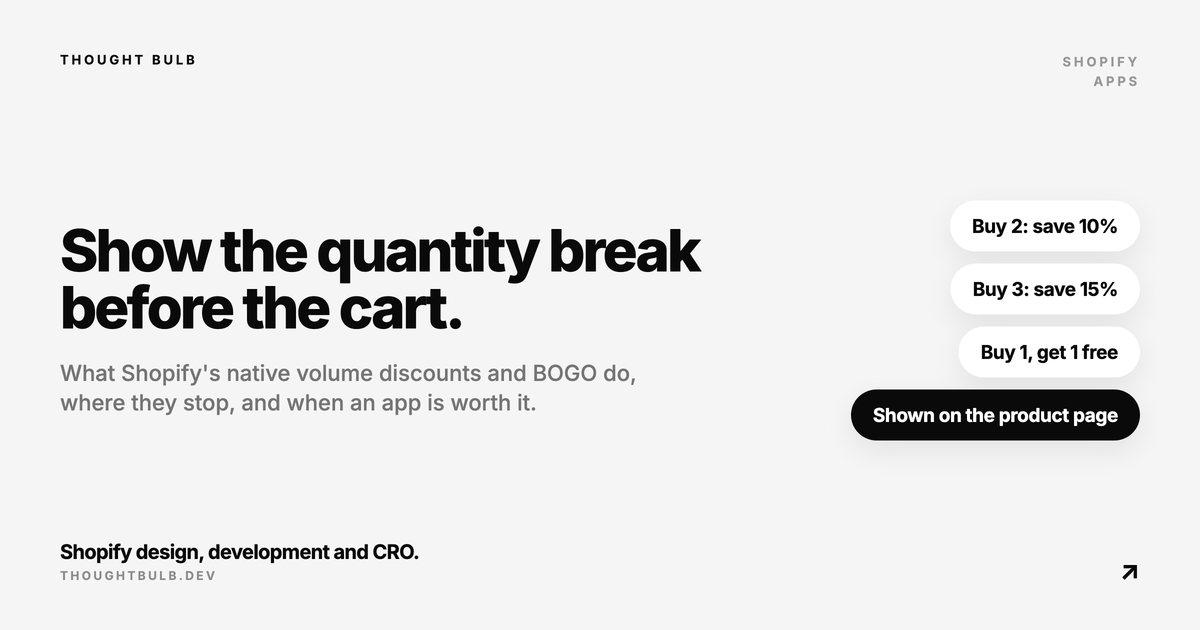
Shopify can run quantity breaks, volume discounts and BOGO offers without an app, and for a single simple offer I'd start there. What it can't do natively is show the tiers on the product page, so the shopper only learns that buy 2 saves 10% once they reach the cart. By then they've already chosen how many to buy, which is the decision a quantity break is meant to change.
The short answer
- ✓One quantity break or one BOGO offer, and you're happy to explain it in your own product copy: use Shopify's native automatic discounts
- ✓A tier ladder shoppers can see and pick from on the product page: use an app, or pay for theme work
- ✓BOGO where the free item should go into the cart by itself: native Buy X get Y won't do that, so you need an app
- ✓Before you build any of it, decide how the offer combines with your other discounts
How to set up a Shopify volume discount natively
A native quantity break is an Amount off products discount with a minimum quantity:
- ✓In the Shopify admin, go to Discounts, click Create discount and choose Amount off products
- ✓Under Method, select Automatic discount so shoppers don't need a code
- ✓Set the value as a percentage or a fixed amount, for example 10%
- ✓Under Applies to, pick the specific products or collections
- ✓Under Minimum purchase requirements, choose Minimum quantity of items and enter 2
- ✓Set the start and end dates, then save
Each discount holds one value and one minimum. For buy 2 save 10% and buy 3 save 15% you create two discounts. If you leave the combination boxes unticked, Shopify's combination rules say the best discount for the customer's cart is applied, so a cart with three items gets 15%. Every step of the ladder counts toward the limit of 25 active automatic discounts, and app discounts count toward it too.
One detail to test: on a product or collection discount, only those items count toward the minimum. If the discount covers a whole collection, one tee and one hoodie from it can count as two items. That may be what you want. It may also be a cheaper break than you meant to give.
How to set up a Shopify BOGO discount natively
Buy one get one runs on Shopify's Buy X get Y discount. Go to Discounts, click Create discount and choose Buy X get Y. Under Customer buys, set a minimum quantity or a minimum purchase amount and pick the products or collections. Under Customer gets, set the quantity and the products, then under At a discounted value choose Percentage, Amount off each or Free. You can also set a maximum number of uses per order, which stops one cart from claiming the free item ten times.
Shopify's help page says the get item is never added to the cart automatically, so the shopper has to add it, and a shopper who doesn't know about the offer won't. And if the free product runs out of stock, it shows as sold out. Pick a get item you hold plenty of.
Where native quantity breaks and BOGO fall short
The product page shows nothing
Shopify applies automatic discounts in the cart and at checkout. The product page still shows the single price, with no tier table and no line saying how much one more item saves. You can write the offer into the description or build a tier table in the theme with custom Liquid, but then the copy and the discount live in two places and someone has to keep them in step.
Tiers are separate discounts
A four-step ladder is four discounts with four sets of dates and product lists. Changing the products means editing all of them, and it's easy to leave one step pointing at last month's collection.
Combining rules limit what stacks
Two product discounts on the same line item only stack on Shopify Plus, with reciprocal tags. Products in an active Buy X get Y discount generally can't take another product discount, with a Plus exception for the customer gets product. Product and order discounts can combine for eligible stores, which is how a quantity break and a sitewide Black Friday code end up on the same order. Work out that stacked price before the sale, and read how Shopify discount stacking works if you're on Plus.
When native is enough
If you run one break on one consumable, such as buy 2 bags of coffee and save 10%, and you're fine putting that sentence in a product page banner, native discounts cost nothing and do the job. I'd move to an app when you want shoppers to choose a tier on the product page, when BOGO needs the free item to go into the cart by itself, or when you're managing more ladders than you can keep in sync by hand.
How TB Bundles does quantity breaks
TB Bundles is our app, so weigh this section with that in mind. Quantity breaks are called volume and pack tiers in the app. You pick the base variant, then add tiers, each with a quantity and its own pricing rule: a fixed price, a percentage off or an amount off. You can also let shoppers enter any quantity, and the best matching tier applies.
On the product page, the widget shows the tier ladder with savings badges and a live total, so the shopper sees what one more item saves before reaching the cart. With a $28 tee, two show as $50.40 (save 10%) and three as $71.40 (save 15%). Layouts for volume and BOGO offers are Stacked offers, Compact rows or Side by side, and multipacks also have a Wholesale table. Match my theme colors is on from the start, so the widget picks up your theme's colours.
How TB Bundles does BOGO
A BOGO offer pairs buy items with get items. The get items can be 100% free or discounted by any percentage, and the widget badges them FREE or with the percentage. For buy one get one free, put the same product in both lists at 100% off. For half price on the second item, set the get discount to 50%, and for a gift with purchase, put the hero product in buy and the gift in get. Gift cards can't be free gifts, because Shopify can't discount them.
Shoppers add the offer from the product page, and the bundle's real products go into the cart, so stock is counted on each one. Order lines carry properties such as Part of and Tier, so whoever packs the order can see which offer each item came from.
Discounts and combining in TB Bundles
The widget prices are for display. The real discount is applied by Shopify when the bundle reaches the cart, and the widget signs each bundle add, so a shopper can't change the price in the browser. By default the discount is automatic. If another automatic discount on your store gets in the way, switch the offer to code mode and the app makes a code starting with TB that it applies when the shopper adds the bundle. Bundle discounts still follow Shopify's combination rules, so the stacking checks above apply to the app as well.
You can show an offer on one variant, a product, a collection, a tag or every product page, leave products out, and limit it by market or to B2B buyers. Offers take a start and end in your store's time zone. Every bundle type is on every plan. The free plan covers your first $200 in bundle and reward sales over the life of the store with up to 5 active bundles, and paid plans start at $12.99 a month with a 14-day free trial.
If you're planning a holiday offer, our post on Shopify bundles for Black Friday covers pricing a bundle from your product cost. For a discount on the whole cart instead of one product, see spend tiers and a free gift. If a code isn't stacking the way you expected, start with why Shopify discount codes don't stack.
Quantity breaks, BOGO and three more bundle types on every plan, shown on the product page in your theme's style, with the discount applied by Shopify at checkout. Free for your first $200 in sales.
Install TB Bundles →