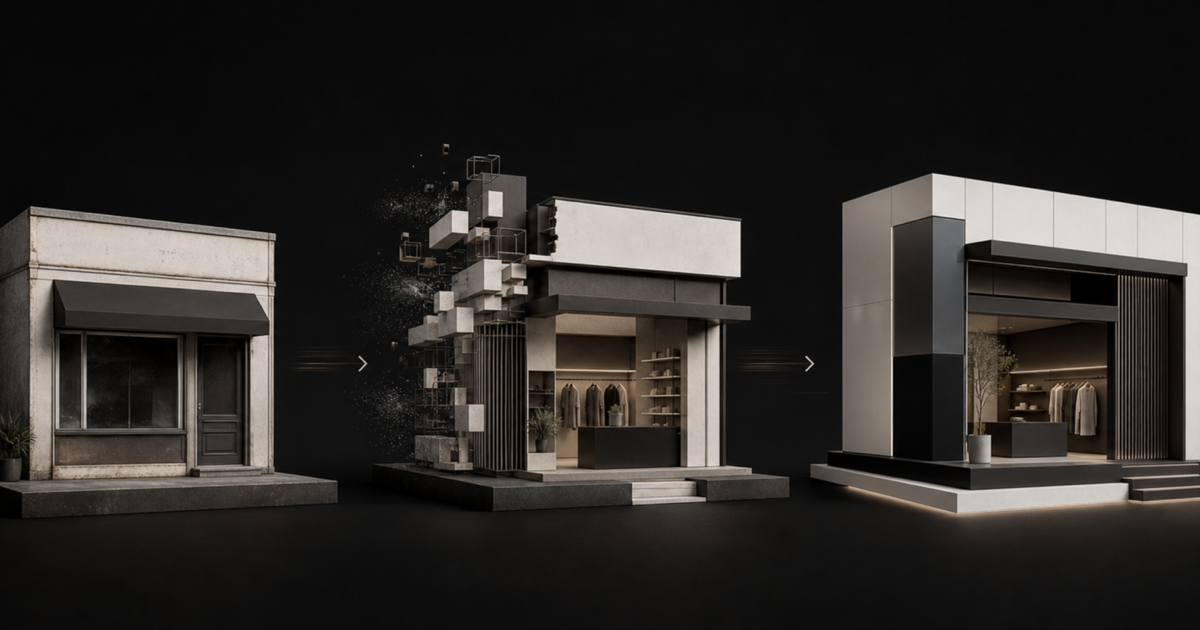
A theme refresh, a redesign, and a full Shopify rebuild are not three prices for the same job. They change different layers of the storefront. Choosing the smallest credible intervention protects budget; choosing a smaller intervention than the problem requires usually creates a polished version of the same constraints.
The short answer
Choose a theme refresh when the underlying customer journeys and theme architecture still work. Choose a redesign when the store needs a new information hierarchy, visual system, and conversion path but the technical foundation can support them. Choose a full rebuild when legacy theme code, app dependencies, content models, or performance constraints prevent the new experience from being implemented cleanly.
What is a Shopify theme refresh?
A refresh improves the expression of an existing store without rebuilding its core structure. Typical work includes typography, spacing, color, imagery, section composition, product-card presentation, merchandising blocks, and focused mobile polish. It works when the theme is maintainable and the main buying journeys are already sensible.
- ✓The current navigation and templates match how customers shop
- ✓Merchants can update content without developer intervention
- ✓Cart, search, filtering, subscriptions, and international behaviour are stable
- ✓The main problem is inconsistent presentation rather than structural friction
What is a Shopify redesign?
A redesign changes how the storefront communicates and converts. It can reshape navigation, collection hierarchy, homepage strategy, PDP information order, cross-selling, trust content, editorial storytelling, mobile behaviour, and the design system. The existing theme may remain underneath, but only if it can express the new design without a growing layer of exceptions.
- ✓The brand positioning or product range has materially changed
- ✓Customers struggle to compare products or understand the offer
- ✓Mobile pages technically work but do not create a confident buying path
- ✓The current design system produces inconsistent pages as the team adds content
- ✓Conversion work requires changes across several connected templates
When does a Shopify store need a full rebuild?
A rebuild replaces the technical storefront foundation as well as the visible experience. It is justified when years of theme edits, duplicate app code, hard-coded merchandising, brittle JavaScript, obsolete patterns, or weak content modelling make every meaningful change slower and riskier. A rebuild should simplify future work, not merely reproduce the old store in newer code.
- ✓Simple changes regularly break unrelated templates or app integrations
- ✓The theme cannot support modern sections and reusable content cleanly
- ✓Performance problems come from architecture rather than one heavy asset
- ✓A new catalog, market strategy, or business model needs different data structures
- ✓The intended design would require overriding most of the current theme
- ✓Nobody can explain which scripts are necessary, duplicated, or safe to remove
Use the future operating model to decide
The right scope depends on what the team needs to do after launch. If marketing needs reusable campaign pages, merchandising needs flexible collection storytelling, and CRO needs controlled variants, those requirements belong in the architecture. A cheaper build that preserves developer bottlenecks is not cheaper over the life of the store.
"Scope the storefront around the next two years of decisions, not the last two years of accumulated code."
— Thought Bulb
A decision checklist before requesting proposals
- ✓List the customer journeys that must change, not just the pages that need a new look
- ✓Document the app, market, subscription, search, analytics, and checkout dependencies that must survive
- ✓Define what the internal team must be able to publish without a developer
- ✓Separate proven conversion problems from stakeholder preferences
- ✓Decide whether the current theme can support the target design without extensive overrides
- ✓Plan launch measurement and post-launch experimentation before development begins
If your store has outgrown its current theme, Thought Bulb can define the right project boundary and design and build a Shopify storefront that supports merchandising, CRO, and ongoing growth without carrying unnecessary legacy constraints forward.
Plan your Shopify redesign →Already have the storefront designed? See how we turn an approved design system into a responsive, merchant-editable Shopify theme.
Figma to Shopify development →